
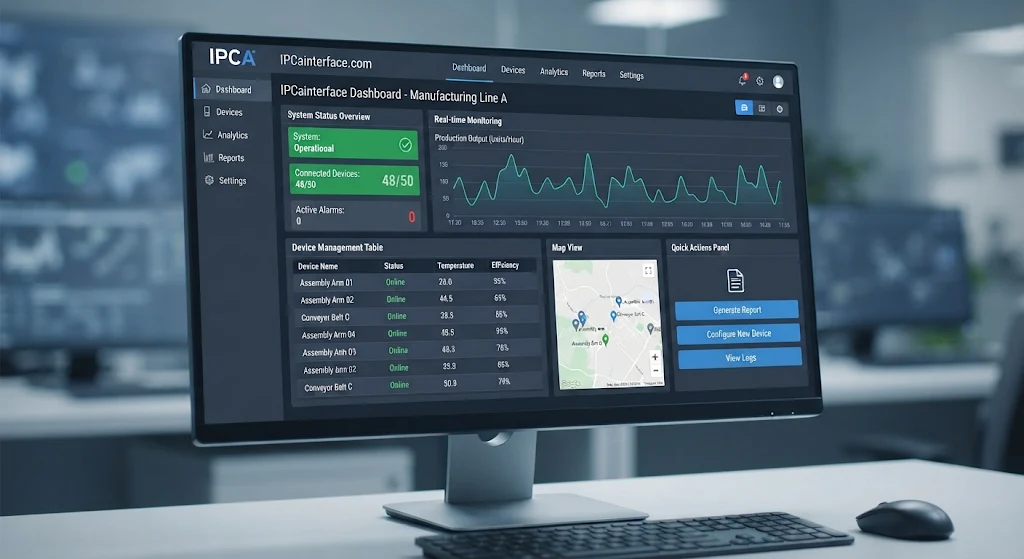
Ipcainterface com is a website associated with the IPCA name that attracts attention from users searching for the IPCA Interface, employee access, and company-related digital services. People commonly look for information about its login process, purpose, available resources, and how to resolve access difficulties.
The website is particularly relevant to searches connected with IPCA Laboratories. However, it is important to distinguish between information confirmed by the website itself and descriptions published by third-party blogs. Not every feature mentioned online has been independently verified.
For employees and other authorized users, understanding the correct access process is more important than simply finding a login page. A reliable approach includes checking the website address, using company-issued credentials, protecting account information, and contacting the appropriate internal support team when something goes wrong.
This guide explains what Ipcainterface com is understood to be, how to approach its login process, what users should know about its possible business applications, and how to avoid common security mistakes.
What Is Ipcainterface com?
Ipcainterface com is an online domain identified by the website title IPCA. It is commonly associated in online search results with an IPCA-related digital interface.
Third-party articles describe it as an employee or business-facing portal connected with IPCA Laboratories. These descriptions associate the platform with internal information, reporting, and organizational access. However, the exact scope of its services should be confirmed through official company documentation or an authorized account.
An important distinction is that Ipcainterface com should not automatically be treated as a publicly available HR or payroll platform. A website can serve internal users without exposing its complete functionality to visitors who do not have company authorization.
Understanding the Purpose of the IPCA Interface
A corporate interface generally provides a centralized location for accessing selected organizational resources. Rather than relying entirely on separate emails, spreadsheets, and manual requests, employees can use approved digital systems to complete routine work.
Depending on the company’s actual configuration, an internal portal may support activities such as:
-
Accessing company-related information.
-
Reviewing assigned work or organizational updates.
-
Viewing authorized business reports.
-
Communicating with relevant departments.
-
Accessing approved internal resources.
-
Managing selected administrative activities.
These are common applications of corporate portals, not a verified inventory of features available through Ipcainterface com.
The best way to determine which services are actually available is to use company-provided instructions and review the modules accessible through an authorized account.
Who Can Use the Ipcainterface com Portal?
Access to an internal company interface is generally restricted to individuals who have been given permission by the organization. Simply knowing the website address does not mean that someone can create an account or access its internal information.
The likely intended audience for the IPCA-related interface includes the following groups:
1. IPCA Employees
Employees may need access to approved digital resources for their daily responsibilities. Depending on their department and assigned permissions, these resources could include internal information, reporting systems, and work-related applications.
2. Medical Representatives and Field Staff
Pharmaceutical companies rely on field teams to coordinate activities, communicate with internal departments, and maintain business records. Authorized field employees may use company-approved digital systems to access relevant work information.
3. Department Managers
Managers may require access to information that helps them coordinate employees, review assigned responsibilities, and monitor departmental activities. Access to sensitive reports should always depend on the permissions assigned to their accounts.
4. Authorized Business Partners
Some corporate systems provide limited access to external partners or distributors. However, there is no independently verified public documentation establishing which external users can access Ipcainterface com.
Important: If you are not an IPCA employee or an authorized partner, contact the company before attempting to register or access restricted resources.
How to Access Ipcainterface com Login
The login process is one of the most common reasons people search for Ipcainterface com. Users generally want to understand where to enter their credentials and what to do after opening the website.
The domain can be accessed directly through the following address:
IPCA Interface Website
ipcainterface.com
Enter the address directly into your browser and verify the destination before providing credentials.
Visit Website
Step 1: Open the Website
Open Google Chrome, Microsoft Edge, Firefox, or another updated web browser. Enter https://ipcainterface.com into the address bar rather than relying on unfamiliar third-party login links.
Step 2: Check the Available Login Options
Allow the website to load completely. If an authorized login page is displayed, examine the available fields and instructions.
A login interface may request information such as:
-
Registered username.
-
Employee identification number.
-
Password.
-
Additional verification, if required.
Only enter the credentials specified in your official onboarding or IT instructions. Do not assume that every account uses the same authentication method.
Step 3: Enter Your Authorized Credentials
Enter your assigned username and password carefully. Pay attention to uppercase and lowercase characters because passwords are generally case-sensitive.
Avoid copying credentials into public computers or saving them in browsers that other people can access.
Step 4: Complete Additional Verification
If the system displays an additional authentication requirement, follow the instructions provided by the organization. This might involve a verification code or another approved security method.
Never provide an OTP to someone claiming to be technical support.
Step 5: Access Available Resources
After successful authentication, use only the resources and sections made available to your account. Their availability may differ depending on your department, responsibilities, and account permissions.
Step 6: Log Out After Completing Your Work
Always sign out when you finish using the system, particularly when accessing it from a shared computer. Closing the browser window alone may not terminate an active session.
Key Features and Possible Uses of Ipcainterface com
Understanding what an internal business interface can accomplish helps explain why employees may need a centralized access point.
Although the exact feature list of Ipcainterface com is not publicly documented in sufficient detail, several common corporate portal functions help explain the types of services users may be looking for.
1. Centralized Information Access
A centralized interface can make it easier for employees to locate authorized company resources without switching between multiple communication channels.
For example, an employee may need to check an internal notice, locate an approved document, or access a particular business application. A centralized entry point can simplify that process.
2. Employee and Department Coordination
Internal digital systems can support communication between employees and their respective departments.
This is particularly relevant to organizations with different operational teams, regional offices, and field representatives. Having a consistent access point can reduce unnecessary communication delays.
3. Business Reporting and Information Management
Reporting is an important part of pharmaceutical operations. Business teams may need to review sales information, maintain records, and communicate operational updates.
A properly configured business portal can provide authorized users with access to relevant reporting applications. However, the availability of specific reporting dashboards through Ipcainterface com has not been independently confirmed.
4. Administrative Information
Many corporate platforms connect employees with administrative services. These may include internal forms, organizational announcements, and other department-specific resources.
Whether a particular administrative function is available depends on the actual system configuration.
5. Access to Internal Applications
A company may use a central interface to connect employees with multiple internal applications. This approach can simplify navigation and provide a consistent starting point for everyday digital activities.
It is important to distinguish this general capability from a confirmed list of applications available through the IPCA domain.
Ipcainterface com and IPCA Laboratories: Understanding the Connection
IPCA Laboratories is an established pharmaceutical company with business activities involving pharmaceutical formulations and active pharmaceutical ingredients. Its official website provides information about its products, operations, corporate activities, and employment opportunities.
Ipca Laboratories+1
The company also emphasizes workplace values, employee responsibilities, ethical conduct, and compliance with applicable standards. These areas are important in pharmaceutical operations because employees work in an environment where accurate information and responsible business practices matter.
IPCA+1
Why Digital Interfaces Matter in Pharmaceutical Companies
Pharmaceutical organizations operate through interconnected departments. Manufacturing, quality assurance, sales, distribution, research, administration, and regulatory functions all require reliable information exchange.
Digital business systems can help organizations:
-
Maintain more organized internal records.
-
Improve information accessibility.
-
Coordinate activities between departments.
-
Reduce repetitive administrative work.
-
Support consistent reporting procedures.
-
Manage access to business information.
For field employees, digital access can also reduce dependence on repeated manual communication. Managers can benefit from more organized reporting processes, while administrative teams can use approved systems to manage internal requests.
However, these are broader benefits of enterprise digitalization, not independently verified performance claims about Ipcainterface com.
How to Troubleshoot Common Ipcainterface com Login Problems
Sometimes users encounter difficulties even when they enter the correct website address. A login issue does not necessarily mean that the account has been permanently disabled or that the website is unavailable.
The first step is to identify where the problem occurs.
| Problem | Possible cause | Recommended action |
|---|---|---|
| Website does not open | Network or server issue | Check internet connectivity |
| Incorrect credentials | Typing error | Recheck assigned credentials |
| Account access denied | Permission issue | Contact authorized IT support |
| Page loads slowly | Browser or connection problem | Try another updated browser |
| Verification failure | Expired or incorrect code | Request a new authorized code |
| Session expires | Inactivity or security settings | Sign in again |
Website Not Opening
If Ipcainterface com does not load, check whether other websites are working normally.
You can also:
-
Refresh the page.
-
Check your internet connection.
-
Open the website in another browser.
-
Temporarily disable problematic browser extensions.
-
Try again after a short interval.
If the issue continues across different devices and networks, the problem may require assistance from the website administrator.
Incorrect Username or Password
Incorrect credentials are among the most straightforward access problems to investigate.
Check the following:
-
Make sure there are no additional spaces.
-
Verify that Caps Lock is not enabled.
-
Confirm that you are using the correct employee ID or username.
-
Check whether you have received updated login instructions.
-
Avoid repeated guessing that could trigger account restrictions.
If the credentials still do not work, contact the authorized IT or HR department.
Account Locked or Access Denied
Some corporate systems temporarily restrict accounts after repeated unsuccessful login attempts. Access may also be denied when an account has not been activated or does not have permission for a particular resource.
Do not attempt to bypass these restrictions. Ask the appropriate company administrator to verify your account status.
Browser Compatibility Problems
An outdated browser can sometimes cause websites to display incorrectly or prevent certain functions from working.
For a better browsing experience:
-
Update your browser to its latest stable version.
-
Enable JavaScript where required.
-
Clear cached website data if the page behaves unexpectedly.
-
Avoid using outdated browsers.
-
Try a different supported device if necessary.
These are general browser troubleshooting steps rather than confirmed technical requirements of the IPCA website.
Is Ipcainterface com Safe to Use?
Security is an important consideration whenever a website involves employee information or organizational resources.
Ipcainterface com has been examined by third-party website security services. A PCrisk scan report published in September 2026 recorded a valid TLS certificate and reported that one out of 89 security engines flagged the domain, while the other 88 did not. The report assigned a low-risk assessment based on its scan findings.
PCrisk
This information is useful, but it should not be interpreted as a guarantee that every login page, account, or transaction is secure.
A clean security scan does not prove that a website is officially operated by a particular company. Domain ownership, organizational authorization, and account security are separate questions.
Essential Security Practices
Anyone accessing a corporate website should follow these precautions:
1. Verify the website address
Check the spelling of the domain before entering any sensitive information. Avoid links received through unknown messages.
2. Use a strong password
Choose a password that is difficult to guess and is not reused across unrelated websites.
3. Protect your login credentials
Never share your password, recovery codes, or verification codes with unauthorized individuals.
4. Avoid untrusted devices
Do not use public computers for sensitive company activities unless absolutely necessary and approved by your organization.
5. Use secure connections
Avoid entering confidential information over unsecured public Wi-Fi networks. Use an approved secure connection where required.
6. Log out properly
End your session after completing work, particularly on devices shared with colleagues.
7. Report suspicious activity
If you notice an unexpected login notification, suspicious page, or unusual account activity, inform your organization’s IT team immediately.
Ipcainterface com on Mobile and Desktop Devices
Employees often need to access business resources while working from different locations. Desktop computers and mobile devices offer different advantages depending on the nature of the task.
Using Ipcainterface com on a Desktop
A desktop or laptop is generally more convenient for tasks involving detailed information, document review, and extended administrative work.
Recommended practices include:
-
Use an updated browser.
-
Keep your operating system updated.
-
Avoid storing company passwords on shared devices.
-
Use a secure company-approved network.
-
Close your session after completing work.
Using Ipcainterface com on a Mobile Phone
Mobile browsers make it convenient to access websites when away from a workstation. However, mobile compatibility depends on the website’s actual design and supported functionality.
If you need mobile access, consider these steps:
-
Open an updated mobile browser.
-
Enter the verified website address.
-
Check whether the website displays correctly.
-
Follow the official authentication instructions.
-
Avoid installing unofficial applications claiming to provide portal access.
Is There an Official IPCA Interface Mobile App?
The existence of a dedicated public mobile application for Ipcainterface com could not be independently verified during this research.
Employees should ask their internal IT department whether an approved mobile application exists. Avoid downloading applications from unknown websites or installing APK files simply because they contain the IPCA name.
Benefits of Using a Centralized IPCA Interface
A well-organized corporate interface can offer practical advantages for employees and management teams. The value comes from making authorized information easier to access and reducing unnecessary administrative steps.
Some potential benefits include:
Improved Accessibility
Employees can access supported resources through a central digital entry point rather than searching through multiple websites or communication channels.
Better Information Organization
Centralized systems can make company information easier to locate, particularly when employees need to access documents or departmental resources regularly.
More Efficient Workflows
Digital processes can reduce repetitive administrative activities and make routine tasks easier to manage.
Stronger Access Management
Permission-based access allows organizations to control which employees can view particular information or use specific applications.
Improved Departmental Coordination
A common digital environment can support communication between different teams and help employees follow established organizational procedures.
The actual benefits depend on which functions are implemented and how the organization manages its internal systems.
Difference Between Ipcainterface com and IPCA HRMS
One point that can confuse users is the difference between a general company interface and a Human Resource Management System (HRMS).
These systems can serve different purposes.
| Comparison | IPCA Interface | HRMS |
|---|---|---|
| General purpose | Company-related digital access | Human resource management |
| Potential users | Authorized organizational users | Employees and HR personnel |
| Main focus | Internal digital resources | Employee administration |
| Possible information | Company applications and resources | Attendance, payroll, and employee records |
| Access | Depends on assigned permissions | Depends on HRMS authorization |
IPCA also has a separate HRMS address listed in online references: hrms.ipca.com. This should not be confused with Ipcainterface com.
loginslink.com+1
Employees should follow their organization’s instructions to determine which system they need for a particular task.
Important Things to Know Before Using Ipcainterface com
Before attempting to use the website, keep these practical considerations in mind:
-
Authorization: Access may require credentials issued by the organization.
-
Website verification: Always check the complete domain before entering sensitive information.
-
Account permissions: Not every user necessarily has access to the same resources.
-
Technical support: Password and account problems should be handled through authorized company channels.
-
Mobile compatibility: Browser access does not automatically mean every feature works on mobile devices.
-
Security: A website security scan cannot establish official company ownership or guarantee account safety.
-
Application downloads: Install software only when it is recommended through an official company communication.
These precautions help users avoid unnecessary access problems and protect confidential information.
Frequently Asked Questions About Ipcainterface com
1. What is Ipcainterface com used for?
Ipcainterface com is a domain associated with the IPCA name and commonly described by third-party websites as an IPCA-related employee or business interface. It is associated with searches for company access and internal digital resources. However, its complete functionality and specific services have not been independently confirmed through public official documentation.
2. How can I log in to Ipcainterface com?
To access Ipcainterface com, enter https://ipcainterface.com directly into your browser. If an authorized login page appears, follow your company’s instructions and enter the credentials provided to you. If you do not have an account or cannot access the website, contact the appropriate IPCA administrator or IT department.
3. Can new IPCA employees register on Ipcainterface com?
New employees should first contact their HR or IT department to understand the account activation process. Internal company portals commonly require administrator-approved accounts rather than unrestricted public registration. Employees should use the official onboarding instructions instead of relying on registration links from third-party websites.
4. What should I do if Ipcainterface com is not working?
Start by checking your internet connection and refreshing the page. You can also try another updated browser, clear the browser cache, or access the website from another device. If the problem continues, contact authorized technical support because the issue could involve server availability, account permissions, or authentication.
5. Is Ipcainterface com safe for employees?
A third-party security scan reported generally low-risk findings for the domain in September 2026, although one security engine flagged it. This is not a guarantee of safety or proof of official ownership. Employees should verify the address through company communication, use secure credentials, and never share passwords or OTPs with unauthorized individuals.
Conclusion: Should You Use Ipcainterface com?
Ipcainterface com is a domain associated with the IPCA name that has attracted attention from people looking for information about IPCA’s digital interface and login access. Its exact internal functions, however, should not be confused with unverified claims published by third-party websites.
For authorized users, the best approach is straightforward: verify the website address, obtain login instructions from the appropriate company department, protect your credentials, and use only the resources made available to your account.
If you experience login difficulties, avoid repeatedly entering incorrect information or relying on unofficial support services. Contact the organization’s authorized IT team instead.














Leave a Reply